Digital tools and habits that actually stick
Running a business means collecting receipts almost every day. Whether you’re buying office supplies, paying for fuel, purchasing equipment, or taking a client to lunch, every receipt tells part of your financial story.
The problem? Paper receipts don’t last forever.
Many receipts are printed on thermal paper, which can fade within months if exposed to heat, sunlight, or frequent handling. Others simply get lost in wallets, glove compartments, or desk drawers before they ever make it into your bookkeeping system.
Fortunately, modern technology makes it easier than ever to keep your business records organized.
Here’s how to build a receipt management system that saves time, reduces stress, and helps you stay prepared for tax season.
Why Receipt Management Matters
Receipts do more than remind you what you bought. They help support your bookkeeping records and document legitimate business expenses.
Good receipt management can help you:
- Track business spending accurately
- Reduce missed deductions
- Prepare cleaner financial reports
- Simplify tax preparation
- Support expenses if questions arise during an IRS review
The IRS allows businesses to maintain electronic records, provided the system accurately preserves and reproduces the records and they remain accessible.
Why Paper Receipts Can Be a Problem
Paper receipts may seem harmless until they begin disappearing.
Common issues include:
- Thermal ink fades over time.
- Receipts become wrinkled or torn.
- Small receipts are easily misplaced.
- Ink can disappear after being left in a hot vehicle.
- Coffee, water, or everyday wear can damage important details.
If you wait until tax season to organize them, you may discover that many are no longer readable.
Make Digital Copies Immediately
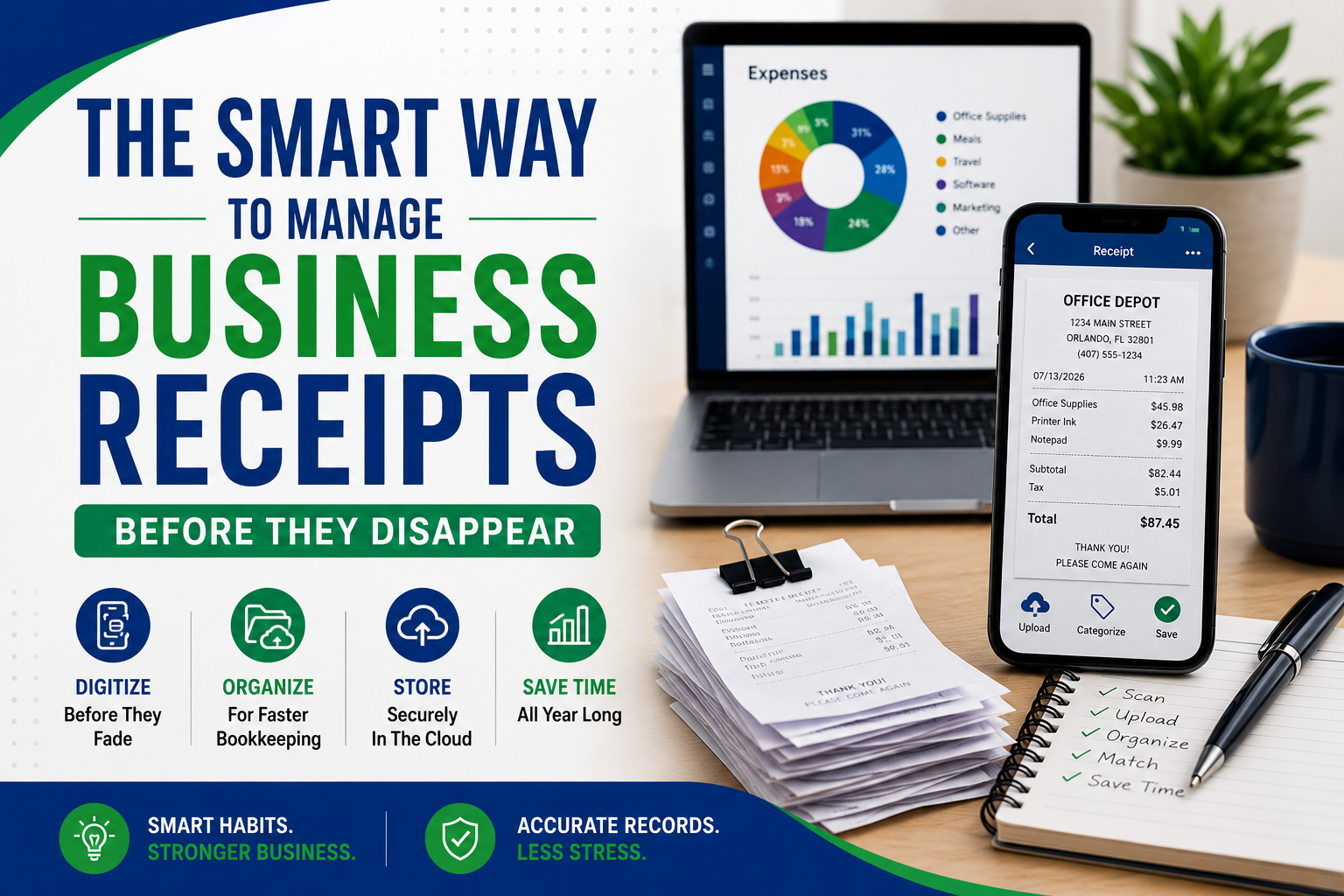
One of the easiest habits you can build is scanning receipts as soon as you receive them.
A quick scan takes only a few seconds and creates a permanent backup before the paper begins to fade.
Many business owners use:
- Receipt scanning apps
- Mobile banking apps with document storage
- Cloud storage services
- Bookkeeping software with receipt capture features
Digital copies are easier to search, organize, and share with your bookkeeper.
Organize Receipts by Category
Instead of storing everything in one folder, organize receipts into categories that match your bookkeeping records.
Examples include:
- Office Supplies
- Meals
- Travel
- Fuel
- Equipment
- Software
- Advertising
- Utilities
- Professional Services
This simple habit makes monthly bookkeeping much faster.
Name Files Consistently
A good file name makes finding receipts much easier later.
Try a format like:
2026-07-13_OfficeDepot_$82.45
Include:
- Date
- Vendor
- Amount
This creates an organized digital archive that is easy to search.
Upload Receipts Regularly
Avoid letting receipts pile up.
Choose a schedule that works for your business.
Many owners prefer:
- Daily
- Weekly
- Every Friday afternoon
- Immediately after larger purchases
The best system is the one you’ll actually follow consistently.
Match Receipts to Bank Transactions
Whenever possible, match receipts with:
- Bank transactions
- Credit card charges
- Accounting software entries
This helps ensure every expense is properly categorized and reduces the chance of duplicate or missing entries.
Use Cloud Storage
Cloud storage protects your records if your phone or computer is lost.
Popular options include secure cloud storage services that automatically back up files across devices.
Create folders by:
- Year
- Month
- Expense category
For example:
2026
- January
- February
- March
Within each month, organize receipts by expense type if needed.
Don’t Forget Digital Receipts
Many purchases never generate paper receipts.
Examples include:
- Software subscriptions
- Online advertising
- Website hosting
- Cloud services
- Business memberships
- Online training
Save emailed receipts as PDFs and store them alongside your scanned paper receipts.
Keeping everything in one place makes bookkeeping much easier.
Build a Simple Monthly Routine
Rather than waiting until year-end, spend a few minutes each month reviewing your receipts.
A simple monthly checklist:
- Scan any remaining paper receipts.
- Upload digital receipts.
- Match receipts to bank transactions.
- Categorize expenses.
- Archive completed files.
This habit can prevent hours of work later.
Real-World Example
Imagine Sarah owns a small landscaping company in Florida.
Every day she buys fuel, replacement parts, and supplies.
Previously, she tossed receipts into her truck’s center console. By tax season, many had faded beyond recognition.
Now, she snaps a photo of each receipt before leaving the parking lot. The image automatically uploads to her bookkeeping software, where it is matched with her business credit card transaction.
Instead of spending days sorting through paper, her records stay organized year-round.
Practical Tips That Actually Stick
To build a lasting habit:
- Scan receipts before leaving the store.
- Keep one dedicated business payment method whenever possible.
- Set a recurring weekly reminder.
- Store everything digitally in one location.
- Avoid keeping receipts loose in your wallet or vehicle.
- Review your receipts every month.
Small habits can prevent major bookkeeping headaches.
Final Thoughts
Managing receipts doesn’t have to be complicated.
A few simple digital habits can protect your records, improve your bookkeeping, and save valuable time throughout the year.
How Accredited Bookkeeping Can Support Your Business
At Accredited Bookkeeping, we understand the challenges small businesses face when it comes to managing finances. We’re here to help you streamline your bookkeeping processes, avoid unnecessary financial errors, and gain greater clarity about your financial health. Our services are designed to fit the specific needs of your business, giving you peace of mind while you focus on growth.
Contact us today for a free consultation and discover how we can make bookkeeping easier for you.
marianne@accreditedbookkeeping.com
Marianne Kirwan
352-626-0116